
# 微件扩展
# 增加扩展微件包
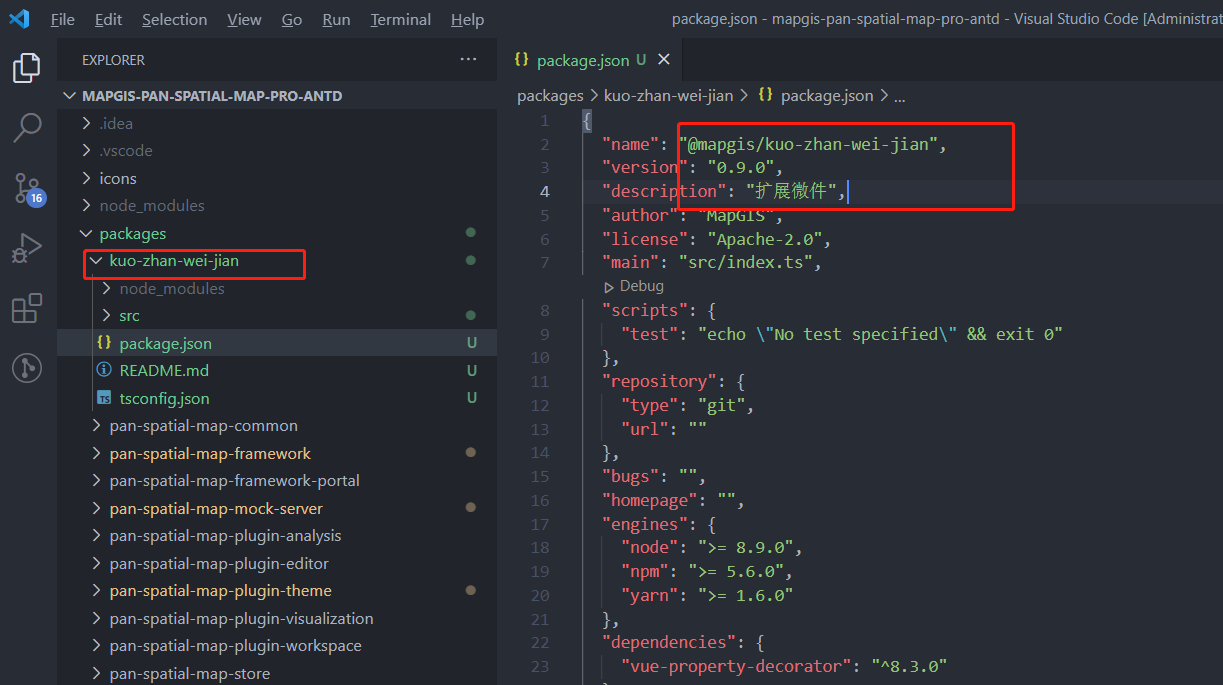
在 packages 文件夹里新建目录文件 kuo-zhan-wei-jian,作为扩展微件专属目录。如果已有目录,可省略该步骤。 mapgis-pan-spatial-map-pro-antd/packages/kuo-zhan-wei-jian。
修改 package.json 文件里,name 及 description。
# 新增微件
在新建目录下新建 src/widgets/kuo-zhan-wei-jian 文件夹。
在新建文件夹下新建 kuozhanweijian.vue。
<template>
  <div>
    扩展微件
    <mp-window-wrapper :visible="visible">
      <mp-window
        title="微件内部弹出框"
        :visible="true"
        :vertical-offset="50"
        :max-width="360"
        :has-padding="false"
        anchor="bottom-center"
      >
        <div>微件内部弹出框</div>
      </mp-window>
    </mp-window-wrapper>
  </div>
</template>

<script lang="ts">
import { Mixins, Component, Watch } from 'vue-property-decorator'
import {
  api,
  baseConfigInstance,
  WidgetMixin,
  LayerType,
  IGSSceneSublayerType,
  LoadStatus,
  Objects
} from '@mapgis/web-app-framework'

import { api, baseConfigInstance } from '@mapgis/pan-spatial-map-common'

@Component({
  name: 'KuoZhanWeiJian'
})
export default class KuoZhanWeiJian extends Mixins(WidgetMixin) {
  // 从微件配置里获取ip
  get ip() {
    return this.widgetInfo.config.ip || baseConfigInstance.config.ip
  }

  // 从微件配置里获取port
  get port() {
    return this.widgetInfo.config.port || baseConfigInstance.config.ip
  }

  /**
   * 动态获取基础目录树上已勾选的三维数据(地形和模型)
   */
  @Watch('document', { immediate: true, deep: true })
  getScenes() {
    if (!this.document) return
    const layers = []
    this.document.defaultMap
      .clone()
      .getFlatLayers()
      .forEach((layer, index) => {
        if (layer.loadStatus === LoadStatus.loaded) {
          if (layer.type === LayerType.IGSScene) {
            if (layer.activeScene) {
              const { type } = layer.activeScene.sublayers[0]
              if (
                type === IGSSceneSublayerType.elevation ||
                type === IGSSceneSublayerType.modelCache
              ) {
                // 剖切分析支持地形和模型
                layers.push(layer)
              }
            }
          }
        }
      })
    console.log(layers)
  }

  /**
   * 保存微件配置到管理平台
   */
  saveConfig() {
    const { ip, port } = this
    const config = { ip, port }
    api
      .saveWidgetConfig({
        name: 'kuo-zhan-wei-jian',
        config: JSON.stringify(config)
      })
      .then(() => {
        console.log('保存配置成功')
      })
      .catch(() => {
        console.log('保存配置失败')
      })
  }
}
</script>
<style lang="less" scoped></style>
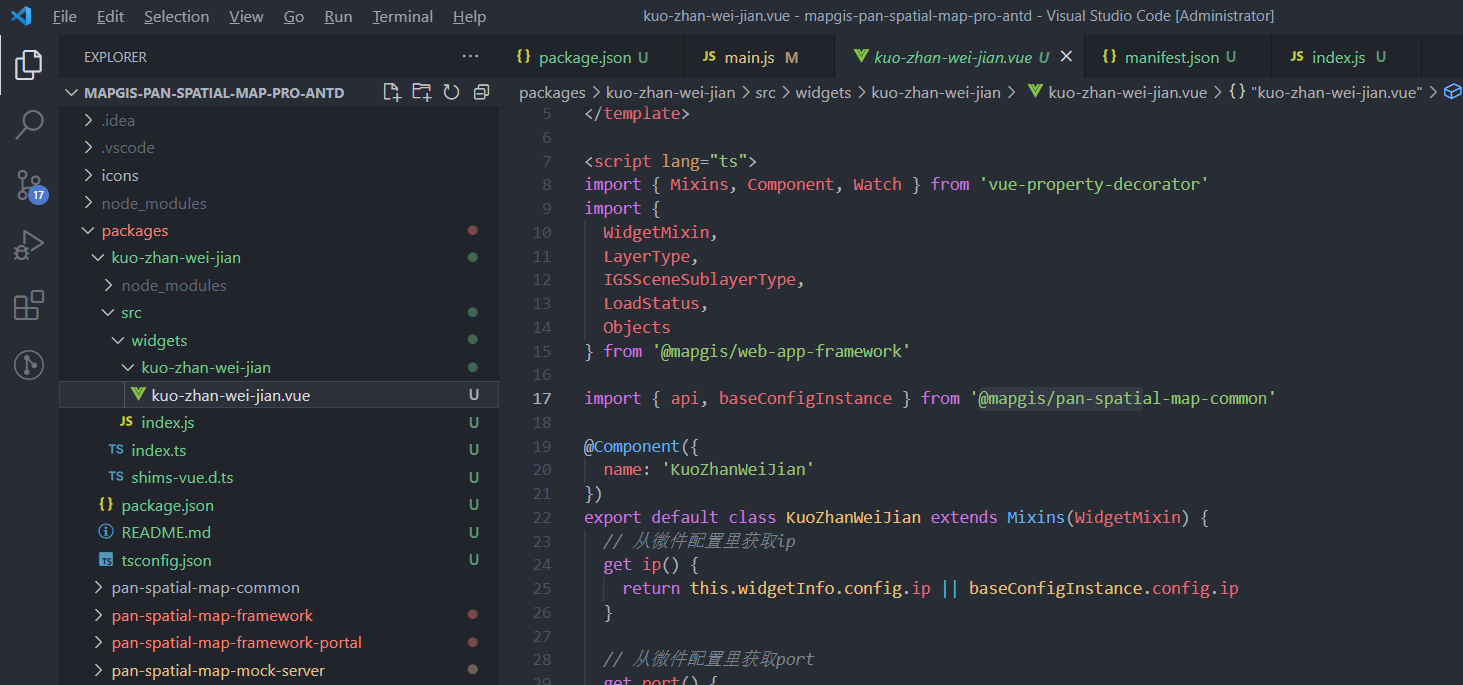
- 在 widgets 文件夹里新建 index.js,用于导出微件。
export {
  default as KuoZhanWeiJian
} from './kuo-zhan-wei-jian/kuo-zhan-wei-jian.vue'
- 在 src 文件夹里新建 index.ts,用于注册微件。
import { KuoZhanWeiJian } from './widgets'

const components = [KuoZhanWeiJian]

const install = Vue => {
  components.forEach(component => {
    Vue.component(
      (component.options && component.options.name) || component.name,
      component
    )
  })
}

export default {
  install
}
# 微件配置
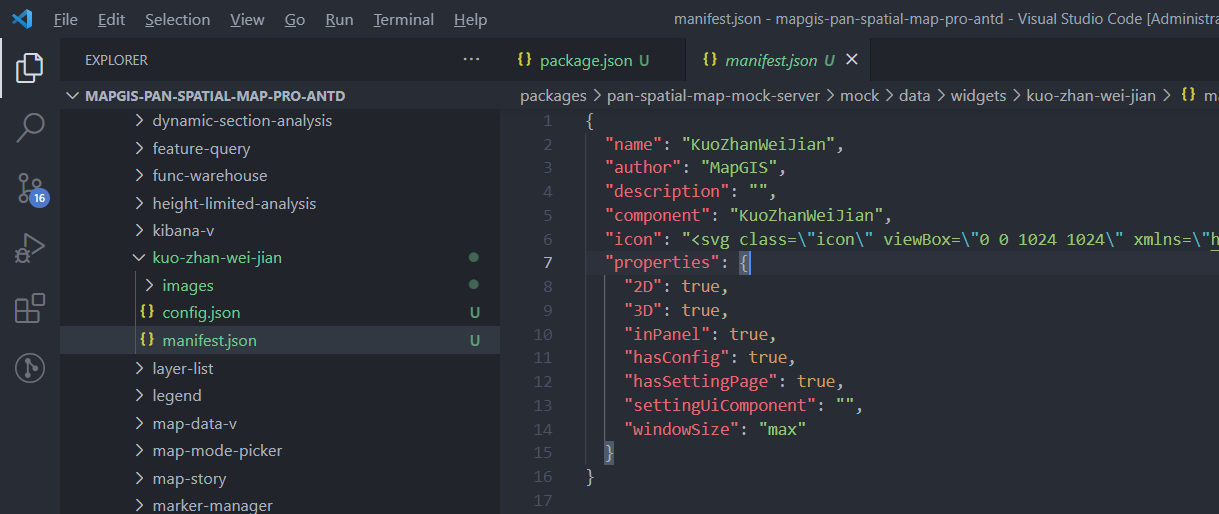
- 在 pan-spatial-map-mock-server/mock/data/widgets 里增加 kuo-zhan-wei-jian 文件夹,新建 manifest.json 文件。
支持两种类型的 widget:in-panel 和 off-panel,每个 widget 都有一个 openAtStart 控制其是否初始打开。
In-panel,需要在一个 panel 中打开的 Off-panel,不需要在 panel 中打开
{
  // widget的标识名称,需要与widget文件夹的名称一致
  "name": "KuoZhanWeiJian",
  // widget的作者
  "author": "MapGIS",
  // widget的描述
  "description": "",
  // widget的组件名,如果inPanel为false,则表示widget本身UI,
  // 如果inPanel为true,其icon会显示到地图占位区域或内容区域中,widget本身UI会展示到Panel中
  "component": "KuoZhanWeiJian",
  // widget图标,默认使用images/icon.svg
  "icon": "<svg class=\"icon\" viewBox=\"0 0 1024 1024\" xmlns=\"http://www.w3.org/2000/svg\" width=\"200\" height=\"200\"><defs><style/></defs><path d=\"M897.706667 1023.573333H178.346667l421.546666-506.026666c180.48 117.76 297.813333 300.373333 297.813334 506.026666z m0-1021.866666H131.413333v919.466666z\"/></svg>",
  // widget属性表
  "properties": {
    // 确定widget是否支持2D,默认为true
    "2D": true,
    // 确定widget是否支持3D,默认为false
    "3D": true,
    // 设置widget是否inPanel,如果不在一个panel中,widget会直接展示,默认为true
    "inPanel": true,
    // 设置为true的话,默认加载config文件,反之不加载,默认为true
    "hasConfig": true,
    // 设为为true的话,builder会加载setting页。如果为false并且widget可配置则展示一个Json编辑器
    "hasSettingPage": true,
    // 如果有setting页,settingUiComponent表示设置页ui的组件名
    "settingUiComponent": ""
  }
}
inPanel 为 false 示例
{
  "name": "综合查询",
  "author": "MapGIS",
  "description": "",
  "component": "MpComprehensiveQuery",
  "icon": "<svg class=\"icon\" viewBox=\"0 0 1024 1024\" xmlns=\"http://www.w3.org/2000/svg\" width=\"16\" height=\"16\"><defs><style/></defs><path d=\"M1010.08 885.32L810.66 685.94c-9-9-21.2-14-34-14h-32.6c55.2-70.6 88-159.38 88-255.98C832.06 186.18 645.84 0 416.04 0S0 186.18 0 415.96s186.22 415.96 416.04 415.96c96.6 0 185.42-32.8 256.02-88v32.6c0 12.8 5 25 14 34l199.42 199.38c18.8 18.8 49.2 18.8 67.8 0l56.6-56.6c18.8-18.8 18.8-49.18.2-67.98zm-594.04-181.4c-159.08 0-288-128.68-288-287.96 0-159.06 128.7-287.96 288-287.96 159.08 0 288 128.68 288 287.96 0 159.06-128.7 287.96-288 287.96zm.04-479.92c-81.56 0-147.68 66.1-147.68 147.66 0 65.92 96.52 186.1 133.5 229.72a18.48 18.48 0 0028.36 0c36.98-43.62 133.5-163.78 133.5-229.72 0-81.56-66.12-147.66-147.68-147.66zm0 192c-26.52 0-48-21.5-48-48 0-26.52 21.5-48 48-48s48 21.48 48 48c0 26.5-21.5 48-48 48z\"/></svg>",
  "properties": {
    "2D": true,
    "3D": true,
    "inPanel": false,
    "hasConfig": true,
    "hasSettingPage": true,
    "settingUiComponent": ""
  }
}

配置 manifest.json 文件中的 properties. hasConfig 为 true;在 kuo-zhan-wei-jian 文件夹里新建 config.json 文件用来配置。 可在 pan-spatial-map-mock-server/mock/data/configs 里新建 kuo-zhan-wei-jian 文件夹,把 config.json 文件复制到新建文件夹里。后台保存的配置会在这个路径。
在 pan-spatial-map-mock-server/mock/data/app.json 里配置新增的微件。
{
  "mapWidgets": {
    "widgets": [
      {
        "id": "widget_f13b2780-8303-45f4-a6c7-6feda63ecfc1",
        "uri": "widgets/kuo-zhan-wei-jian",
        "position": {
          "anchor": "bottom-right",
          "horizontalOffset": 10,
          "verticalOffset": 30
        }
      },
      {
        "position": {
          "anchor": "top-left",
          "horizontalOffset": 178,
          "verticalOffset": 52
        },
        "placeholder": true
      }
    ]
  },
  "contentWidgets": {
    "groups": [
      {
        "content": "header",
        "widgets": [],
        "widgetStructure": [],
        "panel": {
          "position": {
            "anchor": "top-right",
            "horizontalOffset": 10,
            "verticalOffset": 10,
            "bottom": 10
          }
        }
      },
      {
        "content": "left",
        "widgets": [
          {
            "id": "widget_f13b2780-8314-45f4-b7c7-6feda63edhd2",
            "uri": "widgets/kuo-zhan-wei-jian"
          }
        ],
        "widgetStructure": [],
        "panel": {
          "relativeTo": "content"
        }
      },
      {
        "content": "toolbar",
        "widgets": [
          {
            "id": "widget_f13b2791-8325-45h5-b7d8-6feda63edhe3",
            "uri": "widgets/kuo-zhan-wei-jian"
          }
        ],
        "widgetStructure": [
          {
            "id": "widget_f13b2791-8325-45h5-b7d8-6feda63edhe3"
          }
        ],
        "panel": {
          "position": {
            "anchor": "top-right",
            "horizontalOffset": 10,
            "verticalOffset": 52
          }
        }
      }
    ]
  }
}
# 运行程序
- 在 pan-spatial-map-framework/src/main.js 中引用扩展微件包。
import KuoZhanWeiJian from '@mapgis/kuo-zhan-wei-jian'
Vue.use(KuoZhanWeiJian)
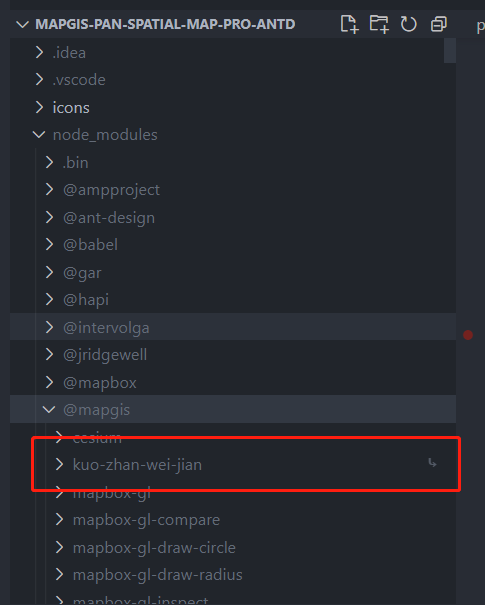
- 运行 yarn install,在 node_modules 中@mapgis 文件夹中可以看到 kuo-zhan-wei-jian 引用目录。
- 运行 yarn dev:mock 后,可在浏览器里查看添加效果。

# 构建和发布
以上只是在 mock server 方式下,增加微件;如果想在发布后的程序中看到新增微件,则需要先 build,替换服务中相应的内容。
具体步骤可参考 构建和发布